The site details page
Everything about one site in one place: health, plugins, backups, restore points and activity.
Click any site on the Sites page to open its details page. It's a full picture of that one site.
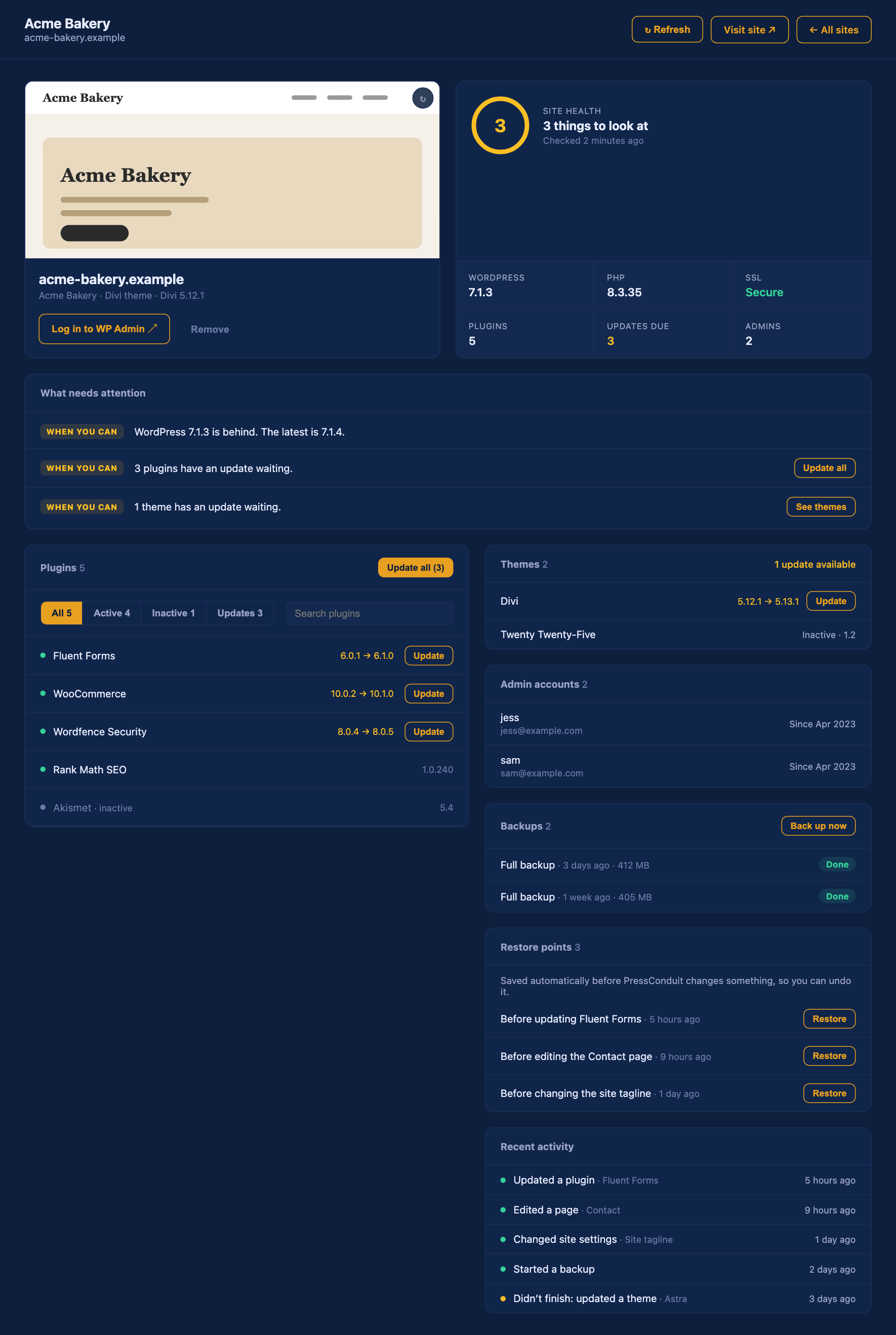
At the top
- A preview of the site, its name, its theme and its page builder.
- Log in to WP Admin opens that site's dashboard in a new tab. See Log in to WP Admin with one click.
- Remove disconnects the site.
- Visit site opens the live site.
- Refresh looks at the site again right now.
Next to it is a Site health box. It says either "Looking good" or how many things to look at, and when it last checked. Below that are quick facts: WordPress version, PHP version, whether the site uses SSL (HTTPS), how many plugins it has, how many updates are due, and how many admins it has.
What needs attention
A short list of problems, worst first. Each one has a tag showing how urgent it is, and a button when there's something you can do right there, like updating plugins or taking a backup. If there are none, you'll see "This site looks healthy."
Plugins and themes
Every plugin and theme on the site. Ones with updates waiting show the old and new version and an Update button. You can search and filter the plugin list.
Admin accounts
Everyone who has administrator access. A username of "admin" gets a weak username tag, since it's the first one attackers guess.
Backups
Your recent backups, with their age and size. Back up now starts a new one. It runs on the site and shows its progress. See Backups.
Restore points
Before PressConduit changes something, it saves a restore point so you can undo it. They're listed here with a Restore button. Restoring always asks you to confirm first. See Undo and the activity log.
Recent activity
The latest changes PressConduit made on this site, and when. If something didn't finish, it says so. This is the first place to look when you wonder "what did Claude change?"
If the page can't reach the site
If the site is down or the plugin is off, the page shows what it saw earlier and says so. Once the site is back, press Refresh.